

We use cookies to keep the site working and to understand how it is used. Choose what you're comfortable with — you can change this anytime.
Learn how to type faster in Punjabi using Asees font. Covers keyboard layout, finger placement, daily practice routine, and tips for PSSSB exam prep.
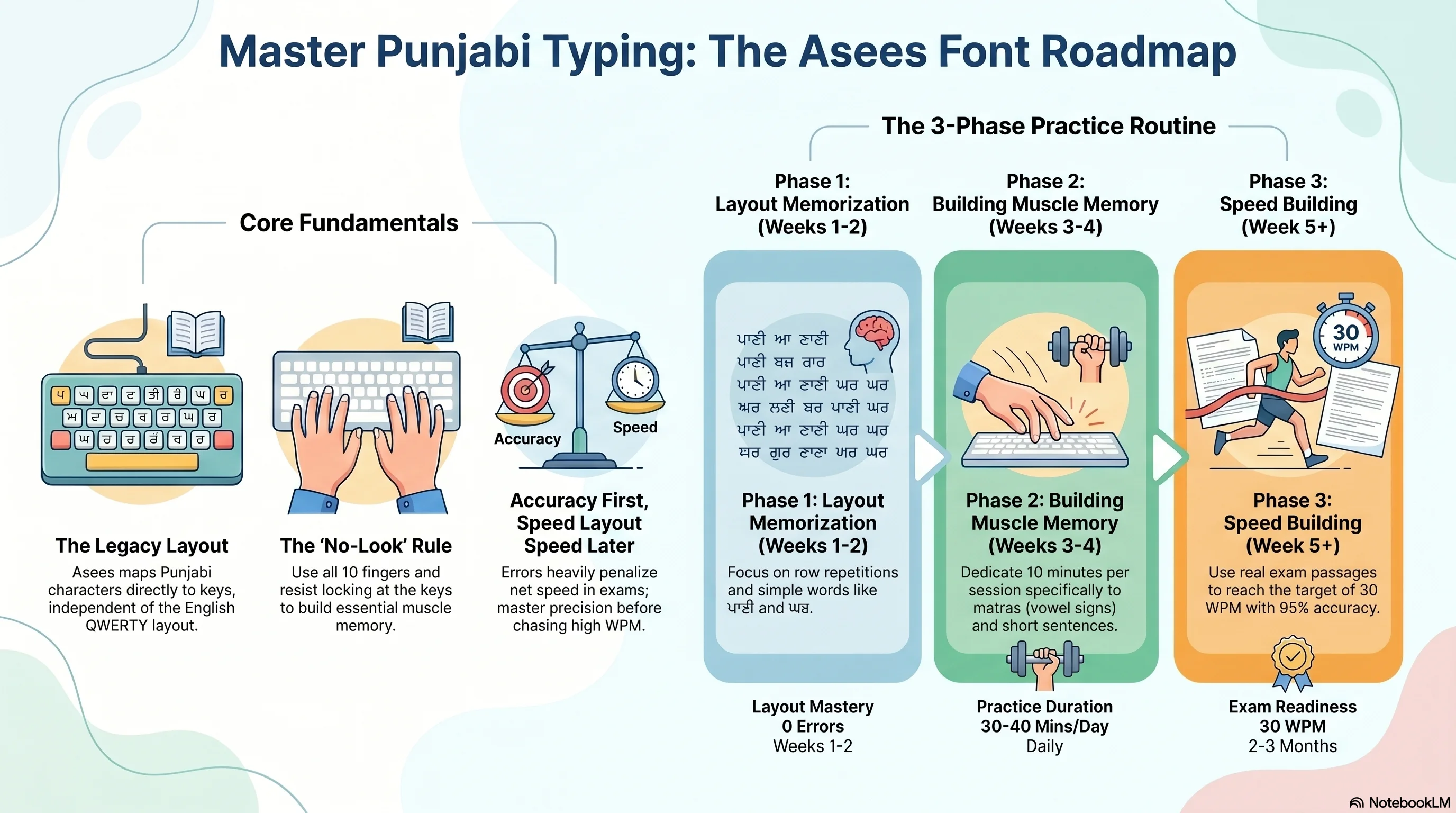
Let's be honest — when you first sit down to type in Punjabi using Asees font, it feels like you're starting from zero. Every key seems wrong, the characters look unfamiliar on screen, and your fingers don't know where to go. That's completely normal. Everyone starts there.
But here's the good news: Asees font typing is a skill, not a talent. And skills can be built — methodically, with the right approach.
Whether you're preparing for a PSSSB exam, working in a Punjab government office, or just want to type Punjabi faster, this guide will walk you through everything — from understanding the layout to building real speed.
Asees is a Gurmukhi script font developed specifically for typing Punjabi on Windows computers. The Punjab government standardized it across departments, which is why it shows up everywhere:
Now, here's something important to understand right away: Asees is not a Unicode font. It's a legacy font, which means the characters are mapped directly to keys on your keyboard — and that mapping has nothing to do with the English QWERTY layout you're used to.
So when you press "k," you won't get "k" — you'll get a Punjabi character. That's the whole learning curve, and once you get past it, everything becomes much easier.
Everything starts here. If you skip this step or try to rush through it, you'll struggle for months. The Asees keyboard layout assigns a specific Punjabi character to every key, including Shift combinations.
Here's the general structure:
One practical thing you can do right now: search for "Asees keyboard layout chart" and print it out. Put it right next to your screen. You're going to refer to it a lot in the first few weeks — and that's perfectly fine.
Before any practice can happen, you need to get the font installed. Here's how:
That's it. You don't need any special software to get started, though dedicated Punjabi typing tutors can be very helpful once you're ready to practice seriously.
A lot of people think touch typing rules only apply to English. They don't. The same principles — home row positioning, using all 10 fingers, never looking at the keyboard — apply to Asees typing as well.
Think of it this way:
The hardest part? Not looking at the keyboard. Every time you look down, you break your rhythm, slow yourself down, and delay the day your fingers actually remember where the keys are. Try to resist the urge.
Let me save you a few months of frustration by pointing out the most common mistakes:
You can't type fast in a layout you don't know. Spend time studying the Asees chart before your fingers touch the keyboard for real practice.
This feels like it helps, but it actually stops you from building muscle memory. The goal is for your fingers to know where to go — your eyes can't be doing that job for them.
In Punjabi typing tests, errors are penalized. A mistake doesn't just cost you one word — it can cost you multiple words in net speed calculations. Get accurate first. Speed will follow naturally.
Vowel signs appear in almost every Punjabi word. If you're slow or uncertain with matras like ਿ, ੀ, ੋ, ੇ — you'll be slow in everything. Practice them specifically.
Three hours on Sunday won't help as much as 25 minutes every single day. Consistency is everything with typing.
Here's a realistic schedule broken into phases:
You don't need to spend money to practice well. Here's what works:
For most Punjab government typing exams — including PSSSB — the required Punjabi typing speed is around 25 to 30 words per minute with at least 95% accuracy.
Starting from zero, most dedicated beginners reach this level in about 2 to 3 months of consistent daily practice. Some get there faster. The key variable is always consistency.
Asees font typing feels overwhelming at first because it's genuinely unfamiliar. But remember — every fast typist you've ever seen was once exactly where you are now: staring at a keyboard chart, pressing keys slowly, wondering if it'll ever feel natural.
It does. It just takes time and repetition.
Start with the layout. Build accuracy first. Practice every day, even if only for 20 minutes. And keep track of how far you've come. Before you know it, your fingers will be flying across the keyboard — in Punjabi.